
Blog
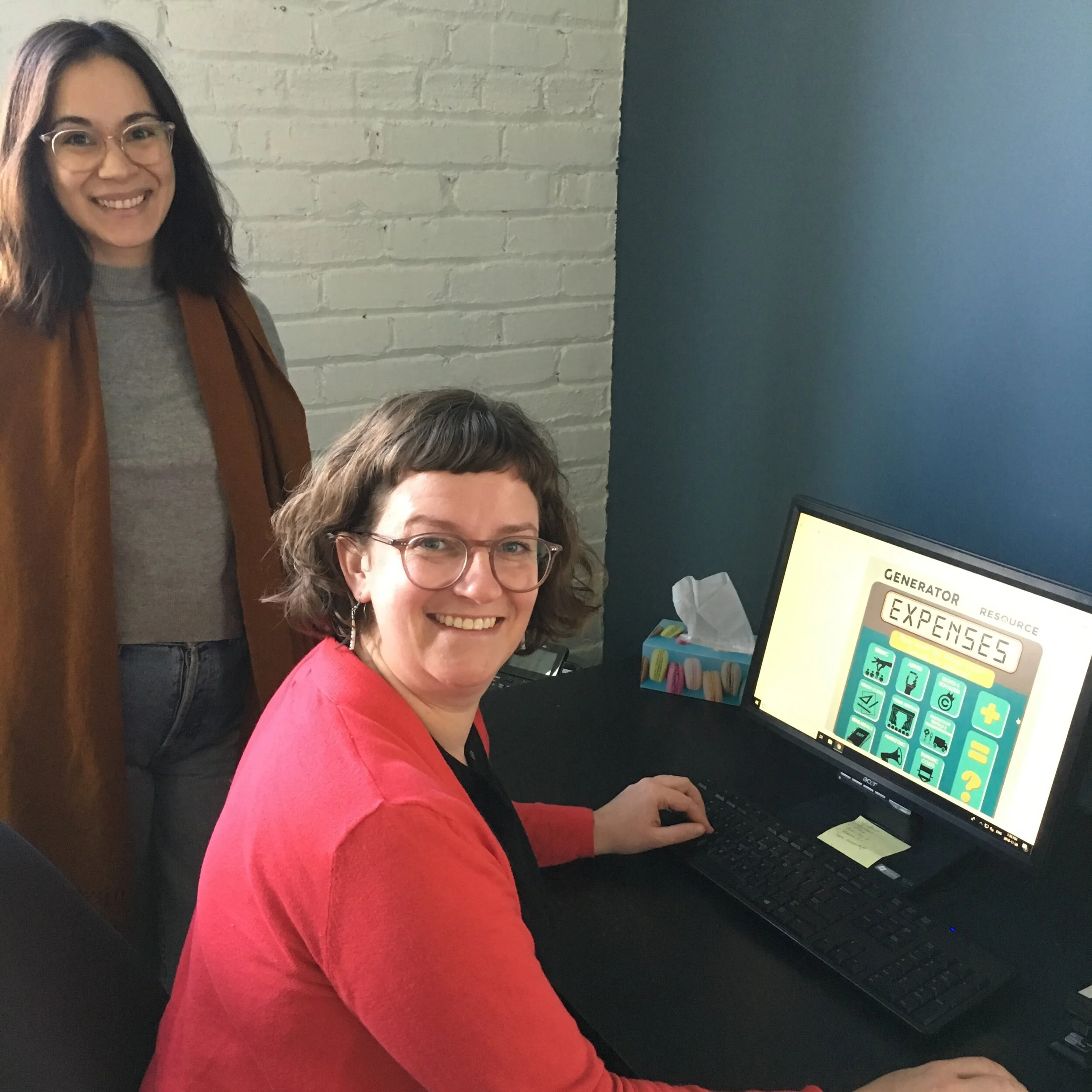
Learning Pathway: What to Pay People
People are always the most expensive budget line when you're producing—but how do you know what to pay them? This learning pathway tackles Paying People, just in time for the Toronto Arts Council and Ontario Arts Council August project deadlines.
One of the most common questions I get from producers is: how much do I pay people? While there are several unions and associations that cover the performing arts, it’s still not always a straightforward question to answer. If you’re working with an Equity (Canadian Actors’ Equity/CAEA) agreement, things are a little clearer—there are set policies and minimum rates you’re obligated to follow. Otherwise, it is up to you as a producer to set the fees and rates, as well as the working conditions of a project.
This ArtistProducerResource.com Learning Pathway helps you figure out what to pay people who are working on your project.
We’re publishing it in July, right before a round of project deadlines from the Toronto and Ontario Arts Councils (learn more on our Public Funding and Grant Writing pages). We hope it will be a handy resource at the start of any budgeting process!
Where to begin
I always start a budget with my expenses (what would I like the project to cost?) — people are almost always the most expensive item in a budget.
Next I determine if I can find the revenue to make the budget feasible.
Once I’ve found the balance between what I want to have happen, and the resources I have available to make it a reality, I have the first draft of my working budget.


Considering what to pay people
One of the things unions and associations do is set a minimum rate schedule. These rate schedules are often grouped together by labour type (actors, directors, and stage managers share an association; designers have a different association, and so do technicians). It is important to understand that these rate schedules are MINIMUMS—so you can think about them as the minimum wage. You can always pay people more.
Dollars are not the only way to compensate people working on your project, though generally that is the preferred method. Depending on what you’re doing, the stage your project is at, and what you’re hoping to achieve with this part of the process, you might consider other ways of compensating those you are working with. Perhaps you can only offer an honorarium, but you will provide lunch for everyone each day.
Some other tips
Rights and Royalties
If you’re working with an existing script you may need to add this to your budget—don’t forget to research that cost early on
If you’re building something new, consider budgeting for rights and royalties from the start of your new process, and making that part of the negotiations. Often (though not always), playwrights, designers, and co-collaborators will want to talk about rights and royalties before embarking on a new creation.
Unions and associations in other performing arts disciplines
These can be helpful for determining fees—CARFAC (representing visual artists) is one of the few associations that has rate schedules for offering workshops or talks, as well as for screening short films.


Further Learning
Sometimes the hardest person to pay is yourself! Use the Rags to Reasonable Salary Worksheet to calculate how much you should pay yourself on your next (or current) project.
Use the Freelance Rate Calculator to set your base hourly rate
This Client Email Helper template by Jessica Hische generates email responses to help you say “no” to free and low-budget work and to help ask for more favourable contract terms before the start of a project.
Check out ArtistProducerResource.com’s Expenses and Revenues infographic series below

Expenses Infographic: download the PDF by clicking the image above, or find it on the Expenses page on ArtistProducerResource.com.

Revenues Infographic: download the PDF by clicking the image above, or find it on the Revenues page on ArtistProducerResource.com.

About ArtistProducerResource.com
ArtistProducerResource.com is a free, searchable online encyclopedia of information, resources, tools, and templates for producing independent performance work in Canada, currently with a focus on Toronto. Launched in November 2017, it has since been visited by over 10,000 users, transforming the way artists producers access information and share knowledge across Canada. ArtistProduceResource.com is free to access and always will be. You can become a supporter by subscribing to our Patreon—we’ll send you a monthly newsletter with highlights, features, and all the newest content on the site. Got a suggestion for ArtistProducerResource.com? Send it to us here.

Learning Pathway: Accessibility as a Practice
This learning pathway invites you to use a values-based approach to the budgeting, planning, development, and execution of a production, where conscious decisions are being made, at all stages of the process, about who the play is for and how the needs of the audience and artists are being met.
Producing is a practice. By that I mean, it’s something you do over and over again. Each time you learn something, because each time is a little different. You carry your experiences with you to each new project, and maybe you begin to develop a philosophy and protocols for yourself. You may return to certain spaces to work with the same people. Together, you develop a shared language, a shorthand, a style of working, a culture. Sometimes, a culture of exclusion can develop.
We live in a capitalist, white supremacist, colonial society. These structures have made their way into the live performance sector, into our working relationships, into our bodies, and into our thoughts. Decisions that counter those structures must therefore be made consciously.
Decolonizing one’s producing practice is a life-long journey. I am no expert, and ArtistProducerResource.com does not have all the answers. My hope is that this is one place among many for new ideas, new questions, and new perspectives to spring from.
This learning pathway invites you to use a values-based approach to the budgeting, planning, development, and execution of a production, where conscious decisions are being made, at all stages of the process, about who the play is for and how the needs of the audience and artists are being met.

Photo by Keshia Palm
If this approach seems overwhelming, restrictive, or perhaps even impossible given the current state of the world, I encourage you to step back and examine why. What are the assumptions or habits of mind causing you to feel that way? To guide you through the process of unpacking all that, check out Inclusion on ArtistProducerResource.com.
I’d much rather work from a place of hope and curiosity than a place of frustration and restraint. I love this prompt from the digital workshop “Crip the Script” created by the amazing Ophira Calof (everyone, hire them!): Embrace your team's access needs as part of your collective, creative, DNA.
This framework changes the producer’s approach from “if only...” to “what if...?”.
Consider the Social Model of Disability – which we use to frame Accessibility on ArtistProducerResource.com. The Social Model of Disability removes the onus from the individual and places it back on a society that has, throughout history, demonstrated “disablism” as a method of discrimination against those with impairments. A social model perspective does not deny the reality of impairment nor its impact on the individual. However, it does challenge the physical, attitudinal, communication and social environment to accommodate impairment as an expected incident of human diversity.
COVID is such a great example of this. Suddenly, when everyone was forced to stay home, we as a society made major accommodations to react to this drastic shift to keep each other safe. This proves that it is possible to – and that we are capable of – significantly changing the way we do things at any and all times. You can do it, I can do it – we all can do it.
Some actionable tools for making workspaces safer for artists can be found on Artist Accessibility on ArtistProducerResource.com; ranging from budgeting considerations, to design choices, to discussing access needs.


While you can (and should) build your project to meet the exact needs of your audience and your artists, there are some blueprints that you can look to for inspiration and guidance.
Approach Accessible Performances like you would a dressmaker’s pattern – you can follow the rough shape, but need to take measurements and tailor it to fit you!
Now that you have your pretty dress (the performance) that fits amazing and looks fabulous, it must be seen, darling! Check out Marketing Strategy and review Artist Accessibility to make sure you are respecting your artists while reaching your audience. Like any good party invitation, make sure you include all the important information so that people are excited to come, and know exactly what they are getting into. Read over and answer the many questions on Audience Accessibility before you share anything – chances are, your audience will be asking those same questions.
Remember that for a lot of folks (including me), theatre has not always been a place where they have felt comfortable or particularly welcome.
For some folks, it may not be a welcome place still. If you are inviting folks who have historically not been welcomed into the space, you have to work extra hard to assure them that this production is for them.
Imagine you get invited to eat at a really fancy schmancy restaurant. This is what I might think: Oh my god a fancy restaurant. I never go to fancy restaurants. What do I wear? What’s on the menu? Can I eat it? Can I read it? How much does it cost? Will there be people like me there? I’ve never been to this fancy schmancy restaurant before! What time do I show up? Is there a lobby? Is there coat check? Do I need to bring anything? Where is it? How do I get there? How long will it take to get there? How long is this dinner going to be anyway? What are the washrooms like? Who else is going? Do I know anyone? Should I bring someone? Can I afford it? Can they afford it? Will it be fun??
To some folks, your performance is like a fancy schmancy restaurant. A million other questions will also come up, because everyone is different and needs different things to feel safe, comfortable, and wanted. It’s your job to tell them that you made the whole menu with them in mind.
And if you’re one of those folks who never went to the theatre, who never got invited to the fancy schmancy restaurant, who’s starting up their own little pop up – I see you! Someone out there is going to see what you’re selling, and it’s going to stir up memories and feelings deep inside them because you’ve got that soul food. Still, you have to do all of the above to get your soul food to the people who are going to eat it up.


Of course, there are a multitude of ways to get people excited about and invested in your production that reach beyond “the performance”. On ArtistProducerResource.com, we call this part Community Engagement. Community Engagement builds trust and relationships with people, so that you can go from being a fancy schmancy restaurant or a brand new pop up to someone’s favourite local spot. This takes time, energy, repetition. Dare I say – practice?
I’d like to leave you here with a few more paths to pursue in your journey:
Sins Invalid; the originators of the disability justice movement
Creative Users; whose newsletter frequently sparks joy and illuminates new opportunities for theatre/connection
Cultural Pluralism in the Arts Movement Ontario (CPAMO); offers numerous workshops and panels gathering movers and shakers from across the sector
Cripresentation; a podcast highlighting queer and trans disabled artists and their work, specifically centring Black, Indigenous and other people of colour
AccessDocsForArtists; a website all about creating access docs – a document that outlines your disability access needs, also known as an “access rider” – with resources to make your own!
Infographics & Templates

Infographic: How to Make Spoken Theatre Accessible for Deaf Audiences. View the PDF by clicking the image above, or find it on Accessible Performances on ArtistProducerResource.com.

Infographic: How to Make Spoken Theatre Accessible for Deaf Audiences. View the PDF by clicking the image above, or find it on Accessible Performances on ArtistProducerResource.com.
Template: Community Agreement. Download the PDF by clicking the image above, or find it on Inclusion on ArtistProducerResource.com. More templates: find the Theatre Venue Accessibility Audit Checklist on Audience Accessibility on ArtistProducerResource.com.
YouTube Playlists
About ArtistProducerResource.com
ArtistProducerResource.com is a free, searchable online encyclopedia of information, resources, tools, and templates for producing independent performance work in Canada, currently with a focus on Toronto. Launched in November 2017, it has since been visited by over 10,000 users, transforming the way artists producers access information and share knowledge across Canada. ArtistProduceResource.com is free to access and always will be. You can become a supporter by subscribing to our Patreon—we’ll send you a monthly newsletter with highlights, features, and all the newest content on the site. Got a suggestion for ArtistProducerResource.com? Send it to us here.


Learning Pathway: Digital Communications
Our third ArtistProducerResource.com Learning Pathway looks at social media, analytics, designing communications for accessibility, and newsletters.
Most of us engage with digital communications in our lives in some way—or in approximately one zillion ways, every day: we post on social media, open email newsletters, watch YouTube videos, and visit websites (like this one!). Maybe you’re someone who’s put a lot of thought into your personal *online presence*, maybe you run social media for three different theatre companies at any given time, or maybe the thought of a job description that includes “newsletter creation” makes you want to run for the hills. There are almost as many levels of digital communications literacy as there are humans logging onto the interwebs each day.
This Learning Pathway takes you through the best ArtistProducerResource.com has to offer when it comes to producing communications for a company or production—dig as deep as you like according to your skill level and interest. It was created by me, Annie Clarke, Generator’s Communications Producer, and it is the third in a series of ArtistProducerResource.com Learning Pathways that we launched in January (read Keshia Palm’s post on Personal Organization and Business Management here and Audrey Quinn’s post on Tax Season here).
This Learning Pathway looks at social media, analytics, designing communications for accessibility, and newsletters — all on ArtistProducerResource.com — with some YouTube videos and downloadable templates for you to make your own. The total read/watch time is approximately 2 hours.



Boundaries
The tools you use to do digital communications work for your job probably overlap with the platforms you use in your life—I can’t stress enough how important (and helpful!) it is to set boundaries around communications. The Information Management page on ArtistProducerResource.com opens with precisely this topic and offers tips to help you draw the lines you need to, from email labels to distinct browser profiles. Settings are your friend—get specific where you can. (For instance, you can choose to get phone notifications about direct messages on your personal Instagram without signing up to receive them for whatever business profile(s) you also manage.)
Social Media
Start with an easy breezy overview by watching the “Producing Social Media” YouTube video series Keshia and I made last year.
Watch time: 6 minutes
Once you’ve got those basics down, settle into the Social Media page on ArtistProducerResource.com for a deeper dive. It has helpful contextual information and a lot of details about Facebook, Twitter, Instagram, and YouTube.
I think the best communications results come from a combination of planning and responsiveness. To help with the planning part, my go-to tools include:
AirTable, a project management software for content planning (read about it on ArtistProducerResource.com’s Information Management page)
Hootsuite, for drafting and scheduling social media posts
Canva, an excellent and supremely user-friendly graphic design platform
LinkTree, for when you can’t pick just one link for your Instagram bio
The Social Media page has a run-down of those last three and many more!
Reading time: 34 minutes
Tracking Analytics
Stay with the Social Media page to learn about tracking your analytics. Running social media takes time and effort, and it’s useful to have a way to evaluate what’s working, and what’s not—especially when social media is part of your job description. Whether you do it once a week or once a month (I have a weekly recurring reminder to do this for Generator), make this tracking part of your workflow. You’ll find a downloadable Excel template on the Social Media page to help. And who knows, maybe one day you’ll write grew company’s Instagram following by 250% in three months on your resume and it will get you the communications job you always dreamed of! Only time (and good tracking) will tell.
Keshia covered the Websites page on ArtistProducerResource.com in her Learning Pathway on Personal Organization and Business Management. Head back to Websites to read up on analytics—they’re a great thing to track for your website alongside your social media insights. Google Analytics is a free and relatively easy tool to set up for any website: here’s a YouTube video to get you started.
Designing Communications for Accessibility
These posters created by Karwai Pun on the “dos and don’ts” of designing for accessibility are one of the most popular resources Generator has ever shared on social media—and I know this because of (say it with me!) tracking our analytics. Visit the Accessible Websites, Graphics, Videos and Documents page on ArtistProducerResource.com for more tips and resources to ensure your communications creations are accessible.

A couple things to highlight:
Capitalizing the first letter of every word in a hashtag ensures it can be read by screen readers—#TakeThisHashtagForExample
When you’re creating graphics and images, make sure to create Alt Text for them too! You can add Alt Text directly into posts on Twitter (before you post) and Instagram (after you post)
Colour contrast is an important part of accessibility in graphic design—the tools on the ArtistProducerResource.com page are good ones to bookmark (Coolors.co/generate is especially fun)
Reading time: 16 minutes
Newsletters
I love newsletters. I enjoy creating them as much as I enjoy reading them. And you know what else I love? Respecting people’s communication preferences! Ever heard of the acronym CASL? It’s pronounced ‘castle,’ and it’s short for Canadian Anti-Spam Legislation—we get it into that, and much more, on the Newsletters/eBlasts page on ArtistProducerResource.com.
If you’re looking for a platform recommendation: Team Mailchimp. (PSA: Being on Team Mailchimp also means being on Team Export Your Audience List Regularly to Back It Up.)
Reading time: 22 minutes
Further Learning
Accessibility Services Canada has a lot of great webinars (some of them free), including Web Accessibility for Content Managers and Accessible Graphic Design
CampTech has a number of workshops geared towards small storefront Ontario businesses, but their newsletter reaches far and wide, with great round-ups of trends in social media and digital marketing (Hootsuite’s newsletter will keep you on top of trends too)
BC Alliance for Arts and Culture’s Digital Ladders Project has helpful blog posts looking at case studies in digital tools and strategies across a number of arts organizations
About ArtistProducerResource.com
ArtistProducerResource.com is a free, searchable online encyclopedia of information, resources, tools, and templates for producing independent performance work in Canada, currently with a focus on Toronto. Launched in November 2017, it has since been visited by over 10,000 users, transforming the way artists producers access information and share knowledge across Canada. ArtistProduceResource.com is free to access and always will be. You can become a supporter by subscribing to our Patreon—we’ll send you a monthly newsletter with highlights, features, and all the newest content on the site. Got a suggestion for ArtistProducerResource.com? Send it to us here.


Resource Round-up: Financial Literacy
A collection of our favourite financial resources. Explore categories for artists, producers and non-profit workers, and tax season.
We’ve pulled together the best of ArtistProducerResource.com, our blog, and our favourite external resources to help you navigate finances as an artist, producer, nonprofit worker, and/or human who wants to be ready for tax season for once.

These resources will also be available via Toronto Fringe’s Next Stage Community Booster Self-Care Hub (access is pay-what-you-can) from January 21-31, 2021.

A Guide to Preparing Your Taxes After Receiving a Grant
There are many theories on how to deal with your grant when it comes to tax time, not all of which are helpful. The most important thing to remember is that grants awarded to individual artists are taxable income to the recipient.

Receiving a grant is usually considered a great event; an occasion to break out the champagne and reward yourself, a moment to reflect that a group of your peers deemed you worthy and part of the community. Grants keep art afloat in Canada, and should be a cause for celebration. Until it’s time to do your taxes, and then the world seems to fall apart and you curse the day you received that $7,000 from the Canada Council for the Arts.
There are many theories on how to deal with your grant when it comes to tax time, not all of which are helpful. The most important thing to remember is that grants awarded to individual artists are taxable income to the recipient. A T4A is issued to the recipient and reported to the Canada Revenue agency (CRA), who will expect that income to be reported.
Government Grants and Their Tax Treatments: A Guide to Preparing Your Taxes After Receiving a Grant was created by Tova Epp, with graphic design by Kinnon Elliott.

Trailer Project by UnSpun Theatre and Ahuri Theatre
As indie theatre companies and creators, both UnSpun Theatre and Ahuri Theatre have made trailers for our own work in the past – whether for potential audiences or for potential producing partners. We also watch a lot of trailers, or scroll by them as they pop up on our social media feeds. We wondered: is there any magical formula that makes trailers effective? How much do audiences rely on trailers to determine what they’re going to see? What about potential partners?
As indie theatre companies and creators, both UnSpun Theatre and Ahuri Theatre have made trailers for our own work in the past – whether for potential audiences or for potential producing partners. We also watch a lot of trailers, or scroll by them as they pop up on our social media feeds. We wondered: is there any magical formula that makes trailers effective? How much do audiences rely on trailers to determine what they’re going to see? What about potential partners?
We decided to watch a ton of trailers from different performance practices (theatre, live art, dance, performance art) to see if we could come up with ‘rules’ for what works and what doesn’t. We then chose a number of trailers that employed a variety of techniques and held a screening night at the Generator offices. We then put out an online survey to garner feedback on a few trailers that had sparked interesting conversations from our screening night. We also spoke to some producers and producing companies about what they look for in a trailer or short video. We compiled the responses and looked for patterns. We’ve included the emergent patterns below.
Media moves quickly and these responses reflect a moment in time, and particular dominant styles of making trailers. Many respondents noted that we need to keep up with filmmaking trends if we’re going to use film as a marketing tool, and not rely on aesthetics or approaches that have worked so far.
Trailers for General Audiences
About our respondents:
100% of respondents attend live performance (generally at least 4x/year)
70% of respondents are art-practitioners
35% of respondents have made trailers in the past (mostly for the general public, some for potential partners)
Thoughts about making trailers:
“It’s our most effective marketing tool”
“It’s challenging to translate stage acting to film”
“The lack of resources is daunting”
A number of respondents noted that a show trailer they made helped secure a partner:
“Trailers raise the perceived value of a show and increase social media discussion”
Many respondents also noted the challenge in the timing of making a trailer: if you make a trailer early enough to share with potential audiences, you likely won’t have your design elements in place to film. But if you wait for the elements, you’ll miss the window of sharing the video with potential audiences.
68% of respondents watch trailers to determine if they will see a particular show (although, by the end of the survey, many later realized that they rely on trailers more than they had thought)
“I’m more influenced by graphic design and marketing”
“I’ll watch them if they happen to come up on social media”
“Trailers help me learn more about a company more than about a particular show”
67% of respondents said that a particular trailer had prompted them to see a show.
“If a trailer is everywhere I may get sucked in”
57% of respondents said that a particular trailer had made them avoid a show.
Respondents were turned off by: aesthetic, lack of diversity, preciousness, and quality of video
Creating for specific platforms:
Respondents noted that they often watch trailers differently across different platforms. Many do not watch Facebook videos with sound, so using sound as a main source of information or mood is not always useful on Facebook or other social media.
Respondents will usually seek out information about a company or show on their website or YouTube/Vimeo page. They expressed a willingness to watch longer videos on these sites, as opposed to social media sites.
There is a real line between sharing a trailer enough to illicit ‘buzz’ and overexposure.
We divided the trailers into two categories: Representational Trailers and Essence Trailers.
Representational trailers usually use footage and/or audio from the show and give a sense of what the show might be about. The features of Representational Trailers that respondents liked were that they get a sense of what the performance will actually look like and a sense of the aesthetic of the piece. It was agreed that these trailers have more of a chance to be done with poor quality footage and audio and often don’t translate well to film.
Example: UnSpun Theatre, All The Things I've Lost
Essence trailers might use footage that is completely separate from the show itself, and in some cases might be just a series of images and sound. They express a mood or try to pique curiosity. Respondents liked that these trailers don’t give too much away, communicate a feeling, and can be intriguing. These trailers can also alienate audience members or come off as dull, opaque or pretentious.
Audiences use these trailers in different ways: they go to representational trailers to get more details about a show, its style, the company, etc. They go to essence trailers to get excited about a show when they might have already heard about it.
Trailers for Presenters and Partners
We had just as much variety in the responses from presenters as we did from general audience viewers. Overall, it seems that presenters would really rather just watch your work live, but they mostly agreed that trailers can be a very good way for them to learn more about artists and companies whose work they don’t know well. They might also serve to get a presenter interested in work that they can then see live or learn more about from an archival video.
We spoke to presenters who produce touring work on large and small scales, as well as presenters who produce large national festivals.
Here is some of the range of responses we received:
One presenter said, “They’re useless.” They prefer to find new work “on the advice of a very trusted colleague who has seen the production and will vouch for it, by seeing the FULL live performance themselves, if not the full LIVE performance then a full length archival video.” They felt that “trailers are a possible marketing tool for public but they are not what presenters use at all.”
Another felt differently, responding “theatre trailers are very useful for presenters. When done well they provide compelling visuals, context and (hopefully) a few good reviews. (The) problem with trailers and all video is that if they aren't good, they could kill interest in the work (which may indeed be very good). Not all video production is created equal.”
One presenter and curator admitted that they hated having to watch trailers, but that it was a part of their work, and useful for learning about new companies to keep on their radar. They added that the trailer really has to accurately represent the piece if they aren’t able to see the actual show. The presenter said that they often use trailers when putting a season or festival together, as a way or presenting the work to the larger team and as a way of getting a sense of how different work might feel together.
One agent responded “I would say 120% you need a good 2-3 minute video, to sell your show to presenters (who then in turn use it to sell to their audiences) and to get pitch and showcase spots at conferences. I’m ALL for a good (and relatively short) sizzle reel!!”
The results – What to (maybe) do and what to (maybe) not do.
One caveat: there was no trailer that every respondent loved. Responses were extremely divergent. There was more of a consensus during the screening night and we suspect that the group dynamic and conversation helped shape responses. Some respondents loved trailers filled with artsy shots of fields and animals; others thought they were dull and hollow. As with anything, know your audience.
Keep it short. Especially if you’re sharing it on social media. And especially if your content is at all repetitive – in this case, most people won’t watch past 20 seconds of material that features repetitive content.
Tell a story (if you can). It doesn’t have to be a full narrative, and in fact, you’ll do best to focus on one or two elements of your show. It can also be an abstract narrative. But build to some sort of emotional peak.
Interviews must have content. Audiences are leery of interview snippets that feature artists talking about how good or important a show is. They are interested in hearing an interview if there is an interesting story, process, concept about the show.
Consider watching habits. Don’t rely on sound or music if you’re primarily sharing this content on Facebook. It needs to be compelling without sound. Consider subtitles.
High quality footage and audio is everything. You can have a great trailer, but poor quality footage turns people off and it results in your audience assuming that the lack of expertise they’ve seen might translate to the stage. If the sound is bad, they often think the sound in the show will be bad. Consider using mics for an archival run-through to get better sound. If there’s an audience not audibly laughing at a joke, it seems like the jokes aren’t hitting. On the other hand, audiences are forgiving when they see a dull trailer with really high production values.
The same goes for editing. Bad cuts can really stand out in a 45-second trailer.
Give us something, but don’t give everything away. Most viewers like to get some information about a show: Is this a dance piece or a theatre piece? What is the company making this piece? If your trailer is more abstract, audiences don’t mind as long as they’re not left feeling completely confused by the material. Give them something to hold on to.
Define yourself. Audiences responded to new, intriguing terms to define your work. Describing work as “a live film” or “an art party” piqued our respondents’ interests. Don’t be afraid to prominently feature your logo or a strong tagline.
Be graphic. Really cool graphic design elements wowed audiences.
Start strong. If your opening isn’t effective, much of your audience won’t keep watching.
Use choice pull quotes if you have them. Most respondents liked pull quotes and were influenced by them, as long as they came from a variety of sources. Trailers using quotes that came only from Twitter, for example, were frowned upon. Many people noticed this and responded negatively to it. It seemed like it was better to not include quotes than to only include quotes from social media.
Learn about film. Live performance generally doesn’t translate well to film, and the trailers that garnered the most positive feedback recognized this and used the features of film to their advantage. Some chose a representational style, but shot the performers at an interesting location or using close ups. Some were very clever about editing and sound, or using different camera angles.
“ Stage picture and screen picture are different – so just using stage blocking is not the best option.”
“Theatre is experienced live in one long “wide shot.” And I think what’s exciting to me about trailers is it’s a chance for us to get up close and intimate.”
Don’t make me feel like I’m watching a commercial. Even though you’re using this trailer to sell an experience, allow the trailer to stand on its own as a creative storytelling tool.
Do something different. Viewers were almost always interested in unusual approaches to sharing performance on film. Strange short films intrigued audiences and even though these films weren’t as connected to the performances themselves, respondents said they were interested in learning more about an artist or company based on the inventiveness of the material.
Examples
These are examples of trailers provided by UnSpun Theatre and Ahuri Theatre. Enjoy!
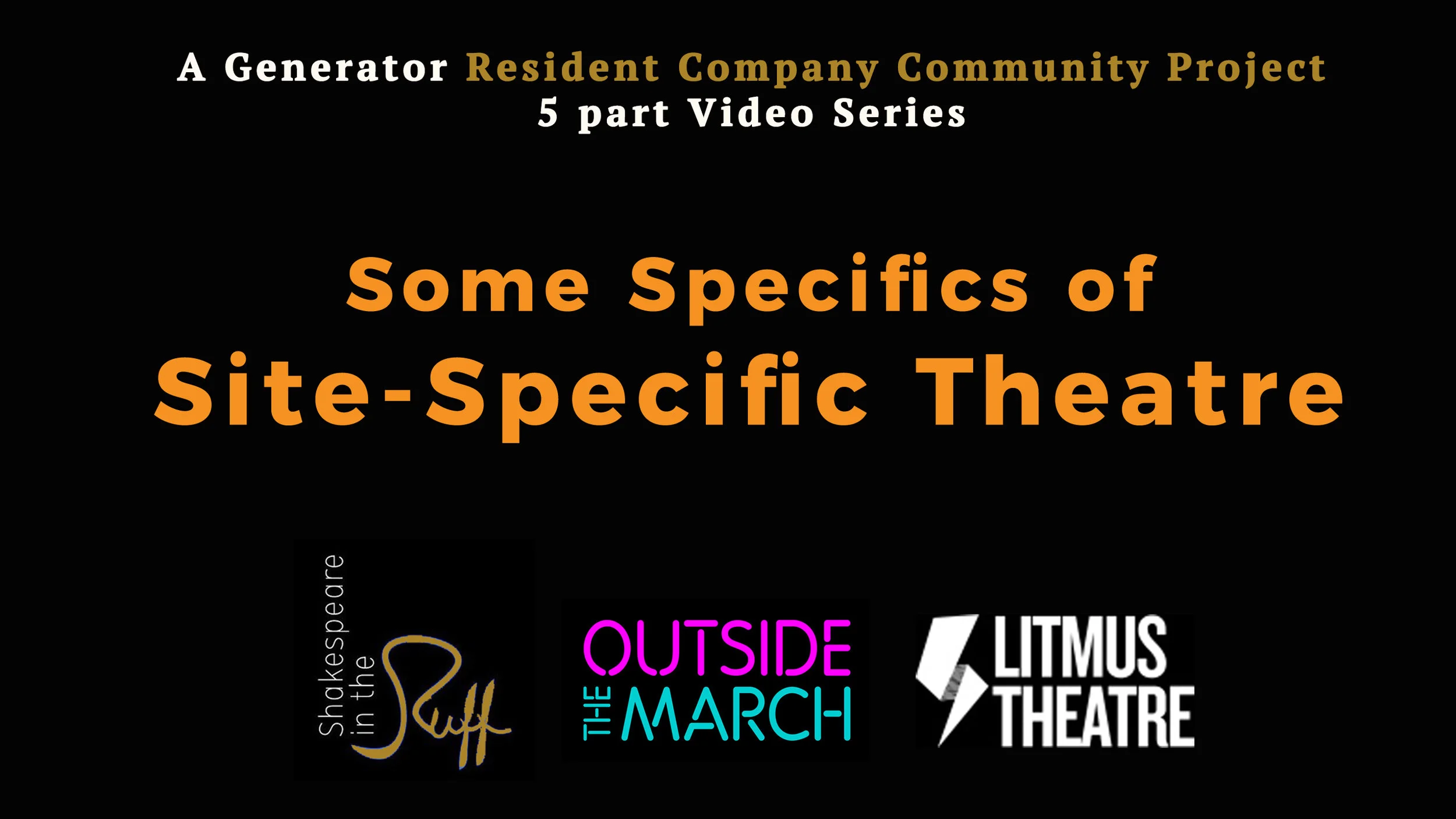
Some Specifics of Site Specific Theatre: A Generator Resident Company Community Project
A five part video series using case studies from Generator's Resident Companies Shakespeare in the Ruff, Outside the March and Litmus Theatre. This project was part is a Community Project as part of their residency.
Some Specifics of Site-Specific Theatre is a Video Series featuring case studies from Litmus Theatre, Outside the March and Shakespeare in the Ruff. This is a Community Project made collaboratively by Resident Companies during their 1st year at Generator.
About this series: Organized into 5 videos to represent a different phase of the creative production process, each company reflects on how they create theatre outside of traditional theatre venues, sharing their inspiration right through to lessons learned.
Part 1: INSPIRATION
Part 2: LOGISTICS
Part 3: THE SHOW
Part 4: AFTERMATH
Part 5: LESSONS LEARNED
Generator and ArtistProducerResource.com are supported by Canada Council for the Arts, Ontario Arts Council, Toronto Arts Council, Government of Canada and Business for the Arts. Videos edited by Dhulfiqar Gshayyish.
Part 1: INSPIRATION
Part 2: LOGISTICS
Part 3: THE SHOW
Part 4: AFTERMATH
Part 5: LESSONS LEARNED
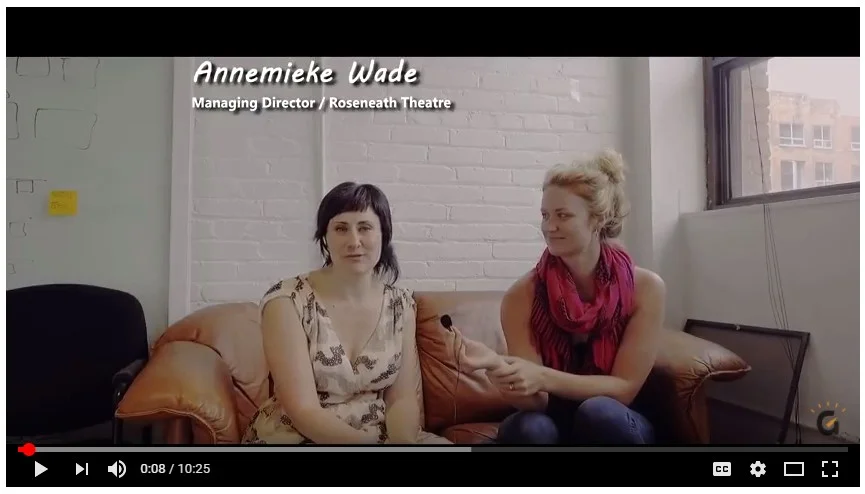
Talking to Annemieke Wade of Roseneath Theatre about touring to schools
Annemieke Wade, Managing Director of Roseneath Theatre sat down to share some hot tips and advice for producers to consider before talking to teachers. Enjoy and deploy her excellent advice from years of experience.

Michael and Kristina Talk Indie Survival
Back in August, Michael and Kristina sat down to talk Indie Survival, and our mutual interests in shared platform models. This December, we announced Kristina as our new Executive Director of Generator.
Back in August, Michael and Kristina sat down to talk Indie Survival, and our mutual interests in shared platform models. This December, we announced Kristina as our new Executive Director of Generator.
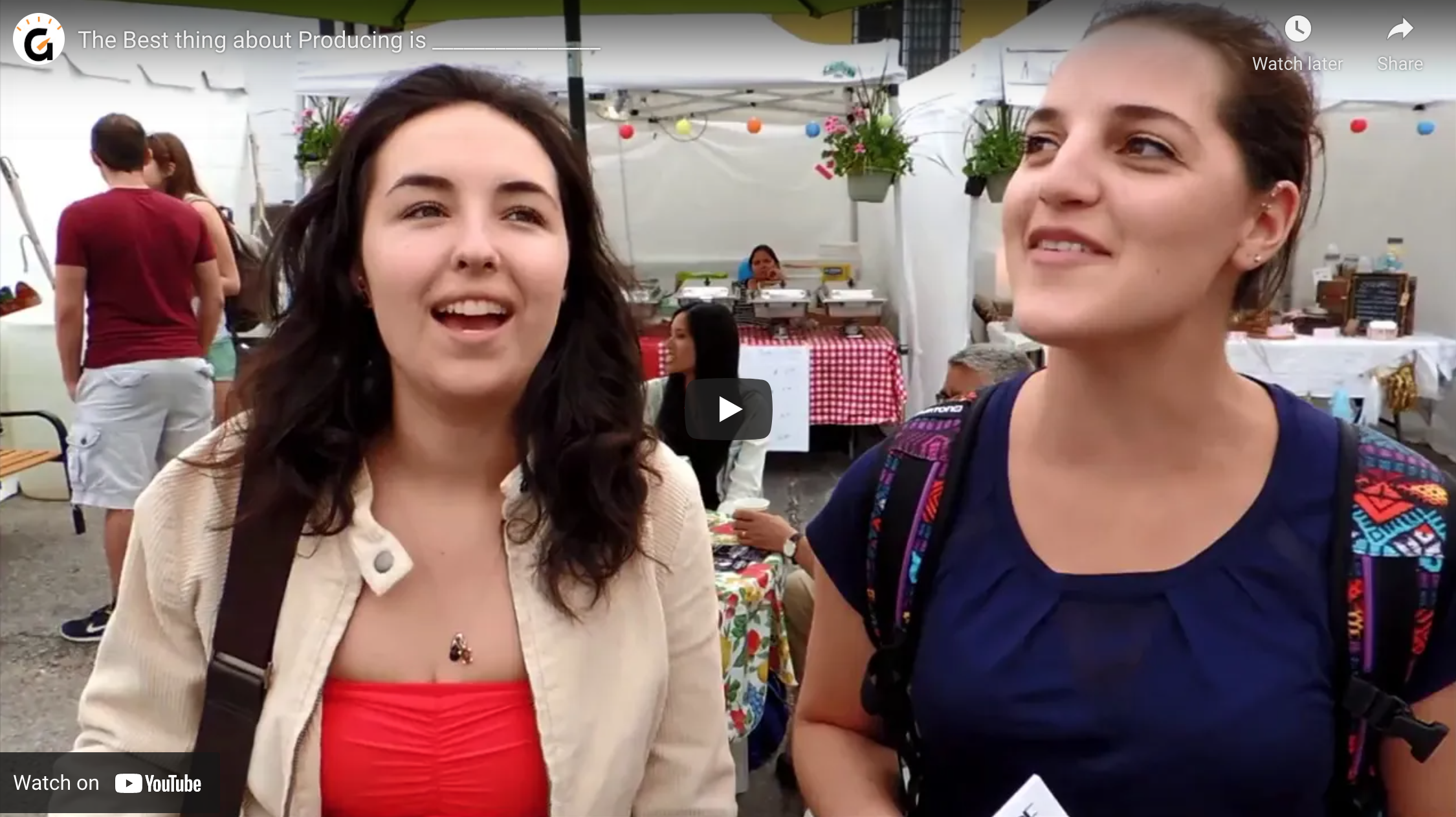
From the mouths of Fringe-ers: what's the best thing about producing?
We asked producers at the 2015 Toronto Fringe tent what they love about producing.